
News & Events
Revit Learning Paths Explained: From Beginner to Professional
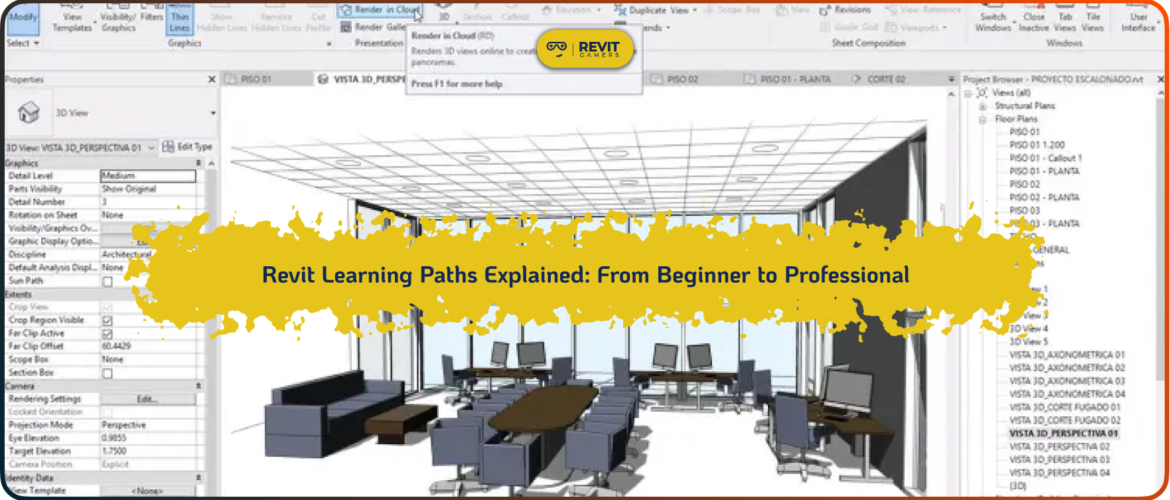
Learning Revit can feel overwhelming at first, especially when you’re not sure where to start or what to learn next. Many beginners jump into random tutorials, watch scattered videos, and try to piece everything together without a clear plan. This often leads to confusion, slow progress, and frustration. That’s exactly why understanding Revit Learning Paths is so important. A well-defined learning path provides structure, direction, and clarity, helping learners move step by step from basic concepts to professional-level skills.
Revit is not just another design tool—it’s a complete BIM platform used across architecture, engineering, and construction industries. Because of its complexity, learning it requires more than just understanding individual tools. You need to understand workflows, relationships between elements, and how projects are built and managed. Without a structured path, it’s easy to miss critical concepts that are essential for real-world work.
A proper learning path ensures that you focus on the right skills at the right time. Instead of feeling lost, you follow a logical progression that builds confidence and competence. Whether you are aiming to get your first job, improve your current skills, or transition into BIM workflows, following the right Revit Learning Paths can significantly accelerate your progress.
In this article, we’ll break down the complete journey—from beginner to professional—and explain what you need to learn at each stage. We’ll also highlight common mistakes, realistic timelines, and what makes a learning path truly effective. By the end, you’ll have a clear roadmap that helps you learn Revit smarter, faster, and more efficiently.
Learn more: Revit Classes Comparison: In-Person vs Online with Visuals
Revit Gamers is offering
The most efficient
& market's only animated Revit training
Learn More
What Are Revit Learning Paths?
Revit Learning Paths refer to structured, step-by-step approaches designed to guide learners from basic knowledge to advanced professional skills. Instead of randomly selecting topics, a learning path organizes content into logical stages, ensuring that each concept builds on the previous one. This structured approach is essential for mastering a complex tool like Revit, where understanding relationships between elements is just as important as learning individual commands.
In unstructured learning, users often jump between unrelated topics—watching a video on families one day and rendering the next—without fully understanding the fundamentals. This creates gaps in knowledge and makes it difficult to apply skills in real projects. A structured learning path eliminates this problem by providing a clear sequence of topics, starting from the basics and gradually increasing in complexity.
A typical Revit learning path includes foundational skills such as navigating the interface, creating basic elements, and understanding views. It then progresses to intermediate concepts like annotation, sheets, and workflow management. Finally, it covers advanced topics such as parametric families, worksharing, and multi-disciplinary coordination.
The biggest advantage of following Revit Learning Paths is efficiency. Learners save time by focusing only on relevant content and avoid the confusion of figuring out what to learn next. It also improves retention, as concepts are introduced in a logical order.
Ultimately, a well-designed learning path transforms Revit from a complex and intimidating software into a manageable and structured learning journey. It provides clarity, direction, and confidence—three essential elements for anyone serious about mastering BIM workflows.
Stage 1: Beginner Level (Foundation Building)
The first stage in all Revit Learning Paths is the beginner level, where the focus is on building a strong foundation. At this stage, learners are introduced to the Revit interface, navigation tools, and basic modeling concepts. Understanding how to move within the software, switch between views, and manage the workspace is essential before diving into more complex tasks.
Beginners start by learning core tools such as walls, doors, windows, floors, and basic components. These elements form the building blocks of any Revit project. Alongside modeling, learners are introduced to levels and grids, which help organize the structure of a building. Without understanding these fundamentals, it becomes difficult to create accurate and manageable models.
Another important aspect of this stage is understanding views—plan views, elevations, and 3D views. Knowing how to control visibility and navigate between different perspectives is crucial for efficient workflow. Beginners also learn basic annotation tools, which are essential for documentation.
One of the biggest mistakes at this level is rushing into advanced topics too quickly. Many learners skip foundational concepts, thinking they can learn them later. However, this often leads to confusion and inefficient workflows. A strong beginner stage ensures that all future learning becomes easier and more intuitive.
By the end of this stage, learners should be able to create simple models, navigate confidently within the software, and understand the basic logic of how Revit works. This foundation is critical for progressing to the next stages in the learning path.
Stage 2: Intermediate Level (Workflow Understanding)
The intermediate stage in Revit Learning Paths focuses on developing a deeper understanding of workflows and how different elements interact within a project. At this level, learners move beyond basic modeling and start working with more complex features such as families, annotations, sheets, and project organization.
One of the key skills at this stage is understanding families. Learners explore how Revit elements are created and modified, gaining insight into parameters and customization. This knowledge allows for more flexibility and control when designing models. Annotation tools also become more important, as learners begin to create professional documentation.
Another major focus is workflow. Instead of simply placing elements, learners start thinking about how projects are structured and managed. This includes organizing views, creating sheets, and maintaining consistency across the project. Understanding workflows is essential for efficiency and collaboration.
At this stage, learners are also introduced to real projects. Working on small to medium-scale projects helps reinforce concepts and build confidence. These projects simulate real-world scenarios, allowing learners to apply their skills in practical situations.
The intermediate stage is where learners transition from basic users to competent Revit operators. By the end of this phase, they should be able to manage complete project files, create documentation, and understand how different parts of a project are connected. This prepares them for the advanced stage, where professional-level skills are developed.
Learn more: Reset Revit UI: Bring Back Your Lost Panels Easily
Stage 3: Advanced Level (Professional Skills)
The advanced stage represents the final phase in Revit Learning Paths, where learners develop professional-level skills required for real-world projects. At this level, the focus shifts from basic modeling and workflows to efficiency, collaboration, and complex problem-solving.
One of the most important skills introduced at this stage is worksharing. Learners understand how multiple team members can work on the same project simultaneously, using worksets and collaboration tools. This is essential in professional environments where large teams are involved.
Another critical area is linked files. Advanced users learn how to integrate architectural, structural, and MEP models into a single coordinated project. This requires understanding dependencies, coordination workflows, and conflict resolution.
Parametric design is also a key component. Learners explore advanced family creation, parameters, and automation techniques that allow for flexible and dynamic models. These skills significantly improve efficiency and accuracy.
At this stage, learners work on complex, real-world projects that simulate professional scenarios. These projects require applying all previously learned skills in a cohesive and efficient manner.
By completing this stage, learners become capable of handling professional tasks, collaborating with teams, and delivering high-quality BIM models. This is where Revit users transition into industry-ready professionals.
Revit Gamers is offering
The most efficient
& market's only animated Revit training
Learn More
Common Mistakes in Learning Paths
Even with access to structured Revit Learning Paths, many learners make mistakes that slow down their progress. One of the most common issues is skipping stages. Some learners try to jump directly from beginner topics to advanced concepts, which creates confusion and gaps in knowledge.
Another mistake is focusing too much on tools rather than workflows. Knowing how a tool works is not enough—you need to understand when and why to use it. Without this understanding, learners struggle to apply their skills in real projects.
Lack of practice is another major problem. Watching tutorials without actively practicing leads to poor retention. Revit is a hands-on tool, and consistent practice is essential for mastering it.
Many learners also rely on scattered resources, which disrupts their learning path. Switching between different teaching styles and content formats makes it harder to maintain focus and consistency.
Avoiding these mistakes requires discipline, structure, and commitment to a clear learning path. By following a well-designed approach, learners can progress more efficiently and avoid unnecessary frustration.
What Makes an Effective Learning Path?
Not all Revit Learning Paths are equally effective. The best learning paths share several key characteristics that ensure successful outcomes. First, they are project-based. Learning through real projects allows students to apply concepts in practical scenarios, improving understanding and retention.
Second, they follow a clear progression. Each stage builds on the previous one, ensuring that learners develop skills gradually without feeling overwhelmed. This logical structure is essential for mastering complex workflows.
Depth of explanation is another important factor. Effective learning paths go beyond surface-level tutorials and provide detailed insights into how and why things work. This helps learners develop problem-solving skills and adapt to different situations.
Some modern platforms have started implementing these principles more effectively than others. For example, platforms like Revit Gamers focus on structured, project-driven learning with detailed explanations and real-world workflows. This approach emphasizes understanding rather than memorization, which leads to stronger and more practical skills.
Choosing a learning path with these characteristics can significantly improve your progress. It ensures that you not only learn Revit but also understand how to use it professionally.
Learn more: change units in Revit: How to Change Project Units for International Projects
How Long Does Each Stage Take?
The duration of Revit Learning Paths varies depending on the learner’s dedication, practice time, and learning method. For beginners, the foundation stage typically takes two to four weeks of consistent practice. During this time, learners focus on understanding the interface, basic tools, and simple modeling tasks.
The intermediate stage usually takes one to two months. This phase involves deeper learning, including workflows, documentation, and small projects. Consistent practice is essential to reinforce concepts and build confidence.
The advanced stage can take two to three months or more, depending on the complexity of projects and level of expertise required. This stage focuses on professional skills such as collaboration, parametric design, and large-scale project management.
It’s important to note that these timelines are approximate. Learners who follow structured courses and practice regularly often progress faster than those relying on unstructured methods.
Consistency is the key factor. Even short daily practice sessions can lead to significant improvement over time. By following a clear path and staying committed, learners can achieve professional-level skills in a relatively short period.
Conclusion & Next Step
Understanding Revit Learning Paths is essential for anyone serious about mastering Revit. A structured approach provides clarity, efficiency, and a clear progression from beginner to professional. By following a defined path, learners can avoid common mistakes, save time, and build practical skills that translate into real-world projects.
The journey from beginner to professional is not about speed—it’s about consistency and direction. Choosing the right learning path can make the difference between frustration and success. Focus on structured, project-based learning that emphasizes real workflows and practical application.
If you want to learn Revit effectively and become job-ready, start with a clear plan and commit to it. The right path will guide you step by step toward your goals, helping you build confidence and expertise along the way.
Revit Gamers is offering
The most efficient
& market's only animated Revit training
Learn More
Leave a Reply
You must be logged in to post a comment.