
News & Events
Revit Course with Projects: Learn Revit by Doing Real Projects
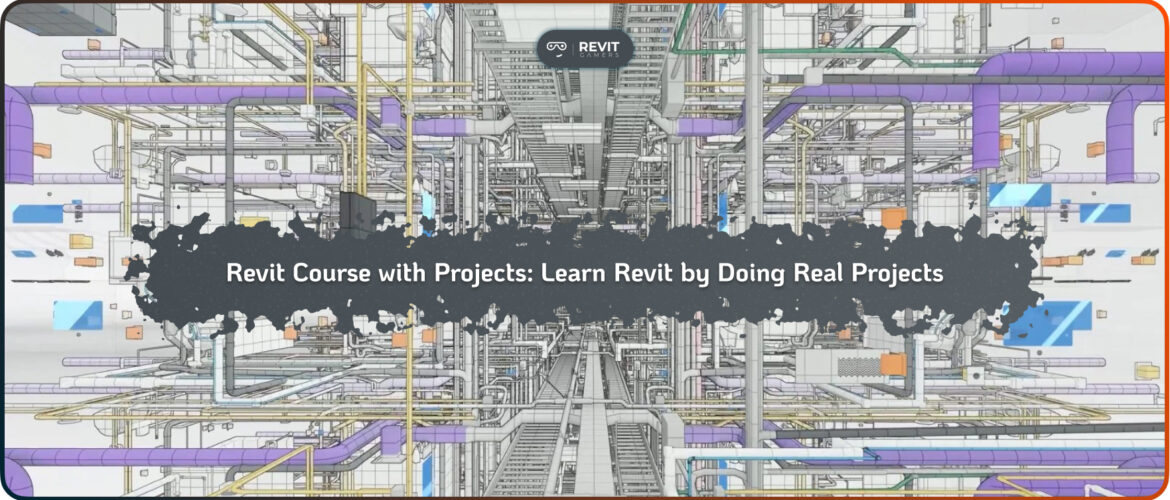
Learning Revit through real projects is one of the most effective ways to develop professional BIM skills. A Revit Course with Projects provides learners with hands-on experience, allowing them to apply concepts in realistic scenarios rather than only studying theory. Project-based learning accelerates understanding because students immediately see the outcomes of their actions and can troubleshoot mistakes in a controlled environment. Whether you are a beginner aiming to understand the Revit interface, an intermediate user wanting to refine workflows, or an advanced professional mastering complex parametric families, a course focused on real projects ensures practical skill development. Projects simulate real-world challenges, such as multi-story building modeling, collaboration with linked files, or managing large datasets, which are essential for professional practice. This approach builds confidence and competence, making learners job-ready and capable of handling real BIM tasks.
Unlike purely theoretical courses, a Revit Course with Projects bridges the gap between learning and doing, ensuring that skills are transferable to professional work. By enrolling in such a course, students can follow a structured learning path, complete guided exercises, and develop a portfolio of completed projects, which is invaluable for career growth. Hands-on experience reinforces retention, encourages problem-solving, and improves efficiency, making project-based learning the ideal method for mastering Revit and preparing for real-world architectural, engineering, or construction projects.
Learn more: Revit Classes Comparison: In-Person vs Online with Visuals
Why Project-Based Learning Works
Project-based learning in Revit enhances understanding by immersing learners in practical applications. In a Revit Course with Projects, students work on exercises that simulate actual building design challenges, reinforcing both technical skills and workflow comprehension. Unlike passive learning, where students only watch tutorials or read guides, project-based exercises force learners to actively apply tools, manage models, and solve unexpected issues. This approach improves retention because students remember solutions to problems they personally encountered and resolved.
Real projects also provide context, demonstrating how Revit tools are used together to create cohesive models. Key benefits include hands-on experience with core modeling, project coordination, and documentation workflows. Learners gain insight into professional practices, such as structuring multi-disciplinary models, creating parametric families, or linking CAD files without breaking the model. Additionally, completing projects contributes directly to a professional portfolio, which is essential for job applications or freelance opportunities. Project-based learning develops problem-solving skills, time management, and confidence in using Revit independently. By the end of a Revit Course with Projects, learners can apply knowledge in real office settings or client work, ensuring that the course translates into practical expertise. This active, immersive methodology is proven to accelerate learning, strengthen comprehension, and make Revit proficiency tangible.
Tips for Beginners
For beginners, a Revit Course with Projects should start with small, manageable exercises that introduce core concepts. Beginner-friendly projects focus on the interface, navigation, and essential tools like walls, doors, windows, floors, and basic components. Simple one-story building models or interior layouts provide opportunities to understand modeling principles without being overwhelmed. Learners can practice creating views, sheets, and basic annotations while gaining familiarity with project organization. Beginner projects should encourage experimentation with parameters and families, helping students understand how elements interact within a model.
Courses that include templates, pre-built families, and step-by-step guides accelerate learning and prevent frustration. Completing small-scale projects gives beginners confidence to progress to more complex workflows, laying the foundation for intermediate and advanced learning. It’s important for courses to offer clear instructions, video demonstrations, and exercises that gradually increase in complexity. Feedback and Q&A options can also help beginners correct mistakes and improve faster. By focusing on projects from the start, beginners develop problem-solving skills, understand modeling logic, and acquire tangible outputs they can showcase. A Revit Course with Projects ensures that even newcomers gain practical experience, making the transition to real-world projects smooth and effective.
Intermediate-Level Project Exercises
Intermediate learners benefit from more complex exercises in a Revit Course with Projects, moving beyond simple modeling to multi-story buildings, collaboration, and parametric design. Projects at this level often incorporate worksharing, linked files, and family creation to simulate realistic office scenarios. Learners apply schedules, annotations, and view templates, ensuring that documentation is professional and accurate. Intermediate projects emphasize workflow efficiency, encouraging students to complete tasks faster while maintaining precision. Exercises may include coordinating architectural, structural, and MEP elements, which enhances problem-solving and teamwork skills.
By engaging in these practical assignments, learners experience common challenges, such as resolving clashes, managing large models, or maintaining consistency across views. Interactive exercises with real-world constraints help students understand how decisions at one stage affect the overall model, preparing them for collaborative environments. A Revit Course with Projects also encourages documentation of work, creating project deliverables that can be used in portfolios or presentations. Feedback, instructor guidance, and group exercises ensure that intermediate learners can correct mistakes and refine their skills. By completing structured projects, students solidify technical knowledge, gain confidence, and develop the efficiency required for professional Revit workflows.
Learn more: Reset Revit UI: Bring Back Your Lost Panels Easily
Advanced Project Challenges
Advanced learners require projects that mimic real professional scenarios. A Revit Course with Projects at this level focuses on large-scale models, advanced parametric families, multi-disciplinary collaboration, and rendering workflows. Projects may involve complex architectural designs, high-rise buildings, or integrated mechanical systems requiring precise modeling and coordination. Learners refine skills in worksharing, view templates, complex schedules, and custom family creation, preparing them for high-level BIM responsibilities. Challenges often simulate office workflows, including linked CAD and Revit files, clash detection, and phased construction documentation. Advanced projects require critical thinking, efficiency, and mastery of shortcuts and plugins to handle large, detailed models. By completing these exercises, learners gain expertise in problem-solving, model management, and professional project delivery.
The course provides templates, reference families, and best practices, ensuring consistency and efficiency. Feedback, guided walkthroughs, and assessments help learners optimize performance. Completing an advanced Revit Course with Projects equips professionals with real-world experience, a strong portfolio, and the confidence to manage complex projects independently or in collaborative office environments.
Course Structure: Modules & Exercises
High-quality Revit Course with Projects programs organize learning into clear modules, each centered on specific project exercises. Beginner modules focus on basic modeling, intermediate modules introduce multi-story and collaborative projects, and advanced modules tackle complex parametric and office workflows. Each module includes exercises that build progressively, ensuring that learners develop skills logically and efficiently.
Project files, templates, and family libraries support hands-on practice, while video tutorials and step-by-step guides provide guidance. Assignments are designed to reinforce technical knowledge, problem-solving, and project management skills. Interactive exercises, real-world scenarios, and instructor feedback ensure that learners can apply techniques effectively. By structuring content around projects, learners gain continuous, measurable progress. A well-organized Revit Course with Projects provides balance between instruction and practice, enabling users to complete exercises, troubleshoot issues, and achieve mastery at every stage of learning.
Benefits for Career & Skill Growth
A Revit Course with Projects delivers tangible benefits for career and skill development. Hands-on exercises simulate professional workflows, equipping learners with practical expertise applicable in architecture, engineering, or construction firms.
Completing projects improves speed, accuracy, and familiarity with collaborative tools, making participants more effective in real-world tasks. Learners also develop a portfolio showcasing completed projects, which is invaluable for job applications, client presentations, and freelance opportunities. Project-based learning builds problem-solving skills, confidence, and workflow efficiency, giving graduates a competitive edge. In addition, by mastering Revit tools, families, worksharing, and documentation practices through practical experience, students can seamlessly transition to professional projects. This method ensures skills are not theoretical but immediately applicable, accelerating career progression and enhancing employability in the BIM industry.
Learn more: change units in Revit: How to Change Project Units for International Projects
Student Testimonials & Success Stories
Testimonials from students who completed a Revit Course with Projects highlight the effectiveness of project-based learning. Learners often report faster skill acquisition, increased confidence, and readiness for professional assignments. Many describe portfolio-ready projects and practical experience gained, which significantly improved job prospects. Positive feedback also emphasizes instructor support, project guidance, and the structured progression from simple to complex exercises. These success stories demonstrate how project-based courses provide measurable outcomes, bridging the gap between online learning and real-world applications.
Conclusion
A Revit Course with Projects ensures hands-on, practical learning that accelerates skill development and prepares learners for professional BIM workflows. By engaging in real-world exercises, students gain confidence, technical competence, and a portfolio of completed projects. Whether you are a beginner, intermediate, or advanced user, project-based learning strengthens knowledge, improves efficiency, and enhances career opportunities. Take the next step in your Revit journey—enroll now in a project-focused course and start mastering Revit by doing, not just watching. Hands-on practice is the fastest, most effective way to achieve professional proficiency.
Leave a Reply
You must be logged in to post a comment.