
News & Events
Worksets in Revit Explained: Collaboration Mistakes That Kill Large Projects
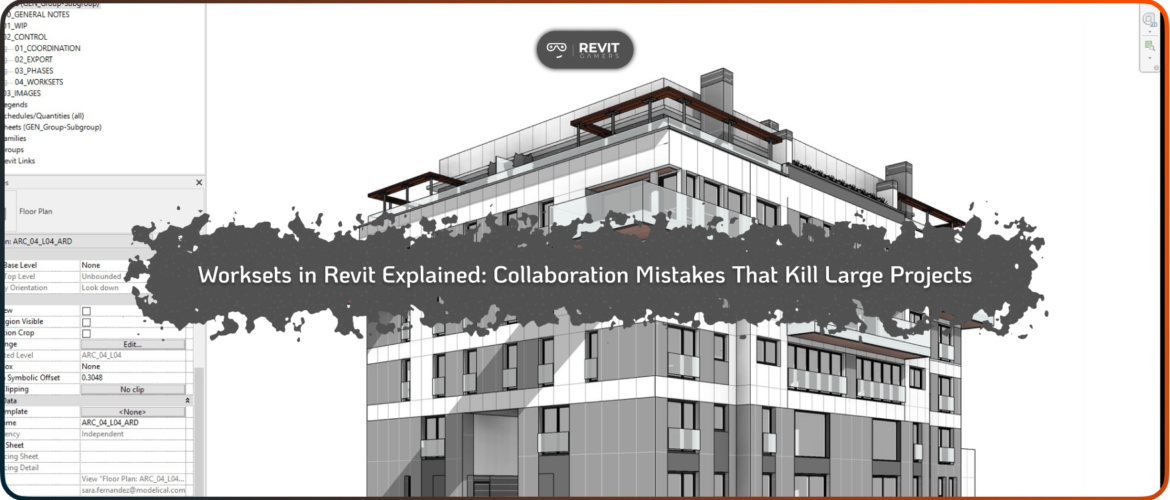
Worksets in Revit Explained: Worksets in Revit are designed to support collaboration, but in large projects they often become a source of serious problems instead of a solution. When teams scale up, the number of users, linked models, and simultaneous edits increases dramatically. At this point, small mistakes in how worksets are structured or used can slow the entire project down or even bring production to a halt.
The core issue is not the worksharing system itself, but the lack of a clear strategy. Many teams activate worksharing early and start creating worksets without understanding how ownership, synchronization, and loading behavior affect performance and collaboration. This leads to long sync times, locked elements, broken workflows, and constant coordination conflicts between team members.
In large models, every inefficient decision is amplified. Poorly planned worksets increase file open times, cause unnecessary element borrowing, and create confusion about responsibilities. When multiple users are blocked from editing critical areas, productivity drops and frustration rises.
Understanding how Worksets in Revit actually function—and how they should be used strategically—is essential for keeping large projects stable, fast, and collaborative. This article focuses on the most damaging mistakes teams make and how to avoid them before they impact the entire project.
Learn more: Revit vs AutoCAD 2025: Which Is Worth Learning?
Understanding What Worksets Are (And What They Are Not)
One of the most common problems with Worksets in Revit starts with misunderstanding their purpose. Worksets are not an organizational tool for modeling, and they are not meant to replace categories, filters, or view controls. Their primary function is to manage element ownership in a shared environment.
A workset defines who can edit which elements at a given time. When a user borrows or owns elements within a workset, Revit prevents conflicts by restricting others from editing the same data. This system works well when used correctly, but misuse creates bottlenecks.
A frequent mistake is creating worksets for every building element type, such as walls, floors, or furniture. This approach leads to constant ownership conflicts and excessive borrowing messages. It also increases the cognitive load on the team, making collaboration more complex than necessary.
Another misconception is using worksets to control visibility. Turning worksets on and off per view might seem convenient, but it introduces inconsistency and hides problems instead of solving them.
Proper use of Worksets in Revit requires separating collaboration control from model organization. When teams understand this distinction, many performance and coordination issues disappear before they ever start.
Too Many Worksets: The Silent Performance Killer
Creating too many worksets is one of the fastest ways to damage performance in large Revit projects. Each workset adds overhead to the model, increasing the amount of data Revit needs to manage during file open, synchronization, and regeneration.
In large teams, excessive worksets lead to longer sync times and slower responsiveness. Every sync operation must check ownership and changes across all active worksets, even if most of them are irrelevant to the user’s task. Over time, this compounds into significant delays that affect the entire team.
Another issue is decision paralysis. When dozens of worksets exist, users often don’t know which workset to use or activate. This leads to elements being created in the wrong workset, causing ownership confusion and cleanup work later.
A more effective strategy is to keep worksets simple and responsibility-based. Typical examples include core building elements, shared levels and grids, major systems, and linked models. This reduces complexity while still allowing multiple users to work efficiently.
Limiting the number of Worksets in Revit improves stability, reduces sync conflicts, and keeps large projects responsive throughout their lifecycle.
Learn more: Learn Revit: Animated Course vs Traditional Tutorials 2025
Element Ownership Mistakes That Block Teams
Element ownership is at the heart of how Worksets in Revit function, and mismanaging it can completely block collaboration. Ownership issues usually appear as checkout warnings, locked elements, or users being unable to edit critical parts of the model.
One common mistake is holding ownership longer than necessary. When users forget to relinquish elements after syncing, others are prevented from making changes. Over time, this creates bottlenecks where one person unintentionally controls large portions of the model.
Another issue is working with too many borrowed elements at once. This increases the risk of conflicts during sync and raises the chance of data loss if a local file becomes corrupted.
The solution is a disciplined sync workflow. Users should sync frequently, relinquish all unnecessary ownership, and avoid borrowing elements they don’t actively need. Teams should also establish clear guidelines on who is responsible for which areas of the model.
When ownership is managed correctly, Worksets in Revit enable smooth collaboration instead of blocking progress. Clear responsibility and good habits keep large teams moving efficiently.
Worksets and Linked Models: A Dangerous Combination
Linked models introduce another layer of complexity when combined with Worksets in Revit. Large projects often rely on multiple linked Revit files for structure, MEP, or separate building zones. If worksets are not managed carefully, this setup can cause visibility issues, performance degradation, and coordination errors.
A common mistake is placing linked models on editable worksets or allowing them to load unnecessarily for all users. This increases memory usage and slows down file opening and syncing, even for team members who don’t need those links.
Another issue occurs when linked elements are incorrectly owned or controlled, leading to confusion about who is responsible for coordination issues. Users may attempt to fix problems in the host file that should be resolved in the linked model instead.
A better approach is to dedicate specific worksets to linked files and control their loading behavior intentionally. This improves performance and clarifies responsibility boundaries between teams.
When used strategically, Worksets in Revit help manage linked models efficiently rather than turning them into a performance and coordination liability.
Central Model and Sync Workflow Mistakes
The central model is the backbone of any workshared project, and poor sync habits can quickly destabilize it. Many issues blamed on Worksets in Revit actually stem from incorrect sync workflows.
Common mistakes include infrequent syncing, working for long periods without saving, or ignoring warnings during sync. These behaviors increase the risk of conflicts, file corruption, and lost work. Local files can also become bloated or unstable if not refreshed regularly.
Teams should establish clear rules for syncing: sync early, sync often, and always relinquish unnecessary ownership. Regularly creating new local files helps prevent corruption and ensures users are working with clean data.
A stable central model combined with disciplined sync behavior keeps collaboration smooth and predictable. Without it, even well-structured worksets cannot prevent project-wide issues.
Learn more: Revit Architecture Crash Course
Worksets, Performance, and Model Stability
Worksets in Revit have a direct impact on performance and model stability, especially in large projects. Poorly planned worksets increase memory usage, slow regeneration, and extend file open times.
Loading unnecessary worksets forces Revit to process data that the user doesn’t need. Over time, this leads to sluggish performance and frequent freezes. Strategic workset loading, combined with simplified ownership structures, significantly improves responsiveness.
Another stability issue arises when worksets are frequently restructured mid-project. Moving large numbers of elements between worksets can increase file size and introduce errors. Workset strategy should be established early and changed only when absolutely necessary.
Optimized worksets support efficient collaboration, reduce crashes, and keep large models usable throughout all project phases. Performance issues are often a sign that workset strategy needs reevaluation.
Worksets in Revit Explained: Best Practices for Worksets in Professional Teams
Successful use of Worksets in Revit depends on simplicity, clarity, and discipline. Worksets should be created based on responsibility and collaboration needs, not element types or visibility control.
Teams should limit the number of worksets, define clear ownership rules, and educate users on proper sync behavior. Linked models should be managed intentionally, and visibility should be controlled through dedicated graphical tools.
Regular audits, clear standards, and shared understanding prevent small mistakes from escalating into major project issues. When used correctly, worksets become an invisible support system rather than a constant source of problems.
By treating Worksets in Revit as a collaboration framework—not a modeling shortcut—large projects remain stable, fast, and manageable from start to finish.
Leave a Reply
You must be logged in to post a comment.