
News & Events
Is Revit Hard to Learn? (And How Online Courses Make It Easy)
For many aspiring architects and engineers, the first question that comes to mind is: Is Revit Hard to Learn? At first glance, Revit’s interface might look intimidating, filled with complex tools and parameters. However, behind that initial complexity lies a powerful system designed to simplify your workflow. Revit isn’t just another 3D modeling program—it’s a complete Building Information Modeling (BIM) environment that connects design, data, and documentation in one place.
Once you understand its structure, you’ll see that Revit actually saves time and reduces repetitive work. The challenge isn’t difficulty—it’s unfamiliarity. Most beginners struggle only because they start without a structured plan. With today’s modern learning options, especially interactive and online courses, mastering Revit is more accessible than ever. You don’t need years of trial and error to build professional-level skills; with the right course and mindset, you can start creating real BIM projects confidently within weeks.
Learn more: Reset Revit UI: Bring Back Your Lost Panels Easily
Understanding Revit’s Learning Curve
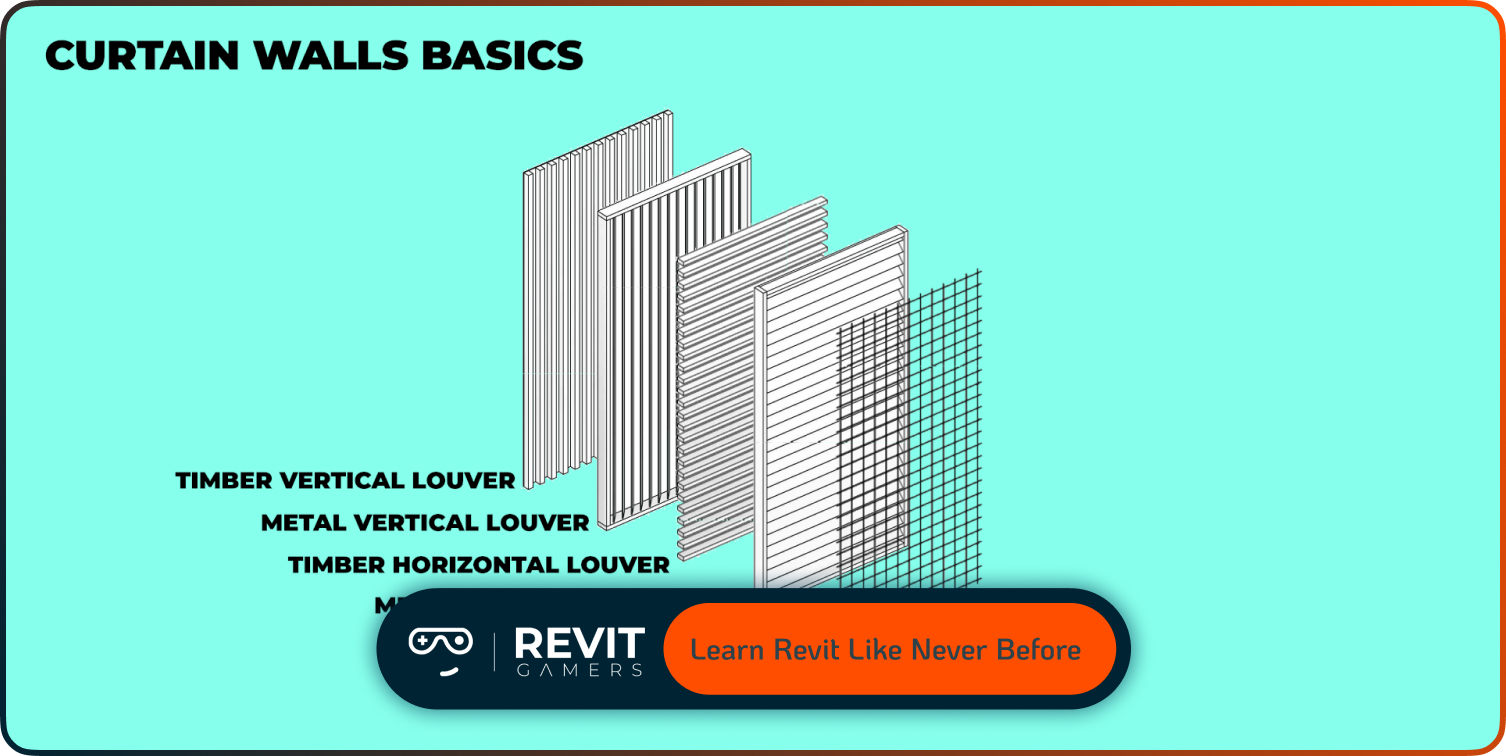
Revit’s learning curve often feels steep because it challenges traditional drafting habits. Unlike CAD programs that rely on drawing lines freely, Revit operates on a parametric system—everything is intelligent and interconnected. This logic-driven approach can initially confuse beginners, especially those who expect it to behave like AutoCAD. However, once you grasp the concept of families, levels, and relationships, the learning curve flattens dramatically. You’ll begin to see how powerful the software truly is when everything updates automatically across your project. Understanding this structure early makes learning smoother and more rewarding.
Instead of memorizing tools, you start thinking like Revit does—building data-rich models that adapt and evolve. The key is patience during the first few sessions; once the core logic clicks, productivity increases exponentially. So when you ask Is Revit Hard to Learn?, remember that its complexity is front-loaded. After the first few lessons, you’ll find yourself moving faster than ever, designing with precision and confidence.
Why Revit Seems Complicated at First
It’s natural to feel overwhelmed when first opening Revit. The interface is filled with toolbars, ribbons, and multiple views that appear confusing. But this complexity isn’t unnecessary—it reflects Revit’s depth and versatility. The software isn’t just for drawing; it’s a multi-disciplinary tool that integrates architecture, structure, and MEP systems under one roof. What seems like clutter is actually a collection of specialized tools designed for real-world coordination. Most beginners also struggle because they try to learn everything at once.
The best approach is to start small—focus on simple modeling tasks like creating walls, adding doors, and setting levels. Once you understand how elements relate to one another, the interface starts to feel logical. Revit’s workflow is built on precision, automation, and consistency. It might seem complicated at first, but that’s because it’s designed for professional outcomes. The more you explore it step-by-step, the more you realize that Revit isn’t hard—it’s just incredibly detailed.
Learn more: How to Fix Revit File Corruption: Step-by-Step
The Truth: Revit Is Logical, Not Hard
Revit may appear challenging, but in reality, it’s one of the most logical design tools available. Every action you take follows a consistent rule. Instead of drawing independent elements, you’re creating relationships—walls attach to levels, doors depend on walls, and dimensions adjust dynamically. This system ensures your model always stays accurate. That’s why professionals love Revit: it minimizes human error.
The misconception that Revit is “hard” often comes from trying to use it like other modeling tools. Once you stop thinking in 2D and start understanding data-driven modeling, the software becomes surprisingly intuitive. It rewards organized, methodical users who plan their projects carefully. Even the most advanced features, such as parameters and families, follow simple logic once you grasp their purpose. Revit doesn’t want you to memorize; it wants you to understand. Once you do, designing with it feels less like a struggle and more like solving an elegant puzzle—efficient, smart, and rewarding.
Common Beginner Mistakes
Many users think Revit is hard because they fall into avoidable beginner traps. The most common one is skipping levels or ignoring templates at the start of a project. Levels define the structure of your entire model—without them, everything collapses into chaos. Another frequent mistake is treating Revit like AutoCAD and manually drafting instead of modeling intelligently.
Misusing families, ignoring parameters, or forgetting to align views also lead to frustration. These mistakes can make even simple tasks seem impossible, creating the false belief that Revit is too complex. The truth is, once you follow proper setup procedures and adopt best practices, most of these issues vanish. A structured learning path, especially through guided tutorials, prevents these errors early. When you ask Is Revit Hard to Learn, remember—it’s not the software that’s complicated; it’s the workflow errors that make it feel that way. Learning the right habits from day one changes everything.
Why Online Learning Changes Everything
Traditional classroom lessons can be slow and rigid. Online Revit courses, however, completely transform the experience. You can learn at your own pace, revisit lessons anytime, and follow structured paths designed by professionals. The best courses combine hands-on projects with real-world workflows, giving you the context traditional tutorials lack. Many platforms now include quizzes, model reviews, and instructor feedback, which accelerates understanding. More importantly, visual and interactive lessons make even the hardest topics—like families and parameters—easier to grasp
. Flexibility means you can practice after work or during breaks without sacrificing consistency. Online learning replaces confusion with confidence because it removes pressure and repetition. Whether you’re a student or professional, this approach allows you to learn smarter, not harder. So, next time you wonder Is Revit Hard to Learn, remember that online courses can turn what once felt impossible into a straightforward, enjoyable experience.
Learn more: Revit file too big: Why Is Your Revit File So Heavy? How to Optimize It
How Animated Revit Courses Simplify Concepts
Animated Revit lessons have revolutionized how learners understand complex BIM concepts. Instead of staring at static screens or reading long manuals, you see how the software behaves in motion. Animations demonstrate relationships between components, how parameters update models, and why families behave the way they do. This visual storytelling builds understanding far faster than text-based tutorials. It’s the difference between memorizing and truly comprehending the process.
These dynamic visuals also make abstract ideas—like constraints, visibility settings, and data linking—crystal clear. As a result, learners retain more information and feel motivated to experiment. For anyone asking Is Revit Hard to Learn, animated courses prove that visual learning eliminates confusion. They simplify advanced logic into intuitive steps. Combined with practical exercises, these courses don’t just teach Revit—they make you feel how it works, building muscle memory and design instincts much faster than traditional approaches ever could.
Step-by-Step Approach to Make Learning Easier
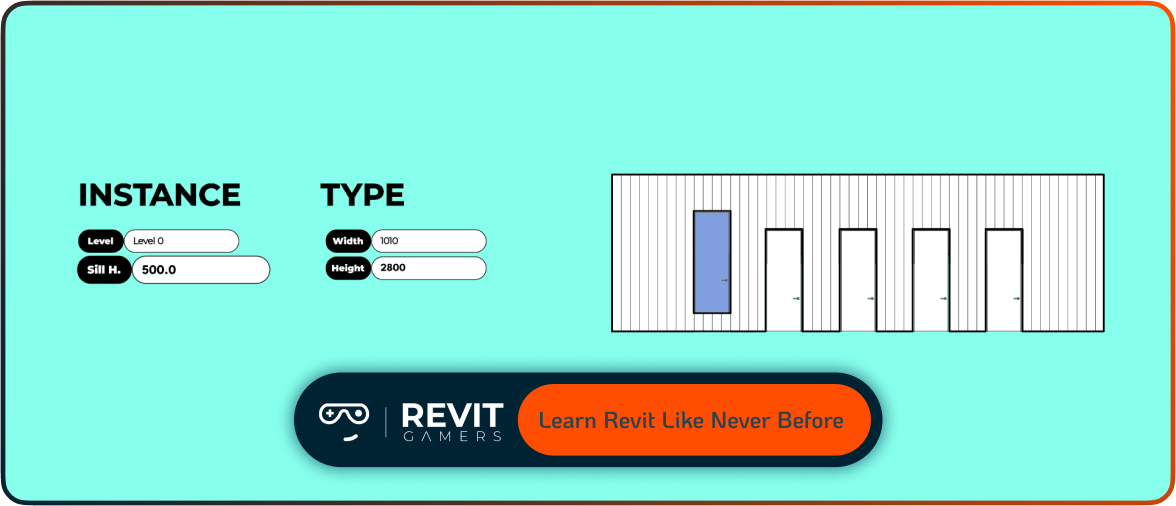
The secret to learning Revit efficiently is following a structured plan. Start with the basics: explore the interface, create levels, and understand navigation tools. In days 3–5, focus on core modeling—walls, doors, windows, and components. Practice assembling small rooms or floor plans. By the second week, move into annotation, views, and documentation. Each step builds upon the previous one, forming a solid foundation. The mistake most learners make is jumping into advanced tools too early. Revit rewards progression, not shortcuts.
Set realistic goals, dedicate at least one hour daily, and review your previous work regularly. Using project-based exercises and online course modules accelerates growth because you see immediate results. Learning this way keeps motivation high and frustration low. Instead of asking Is Revit Hard to Learn, you’ll find yourself saying, “This actually makes sense now.” Step-by-step consistency transforms difficulty into confidence in just a couple of weeks.
Real User Experience: From Frustration to Confidence
Many users start their Revit journey full of doubt. They open the software, stare at countless buttons, and think, “There’s no way I can learn this.” But within a few weeks of structured online practice, everything changes. Real learners report that once they completed their first small project—a house plan, interior layout, or structural frame—they felt a sudden boost of confidence. Revit starts to click, and workflows begin to feel natural.
These success stories are common across online Revit communities. Students who once searched Is Revit Hard to Learn often become mentors themselves after just a few months. The key is persistence and proper guidance. With the right course, support group, and practice routine, anyone can transition from frustration to fluency. Revit isn’t designed to be easy—it’s designed to be powerful. But with guided learning, power and simplicity meet perfectly in your hands.
Learn more: Revit Project Examples: Practice Like a Pro
Conclusion: Revit Is Easier Than You Think
Revit’s reputation for difficulty is outdated. Yes, it’s professional-grade software—but it’s also one of the most intuitive tools once you understand its system. The key is not to learn faster but to learn smarter. Online and animated courses make that possible by breaking down complex topics into easy, visual lessons. Within weeks, you can go from complete beginner to confident modeler ready to take on real BIM projects.
The question “Is Revit Hard to Learn?” has a clear answer: No, not if you follow the right strategy. With consistent effort, guided practice, and access to the right learning materials, mastering Revit becomes an achievable, enjoyable goal. So stop overthinking and start modeling—because the best way to learn Revit is to build, experiment, and watch your skills grow every single day.
Leave a Reply
You must be logged in to post a comment.